Made for iPhone Duo
Open the garage.
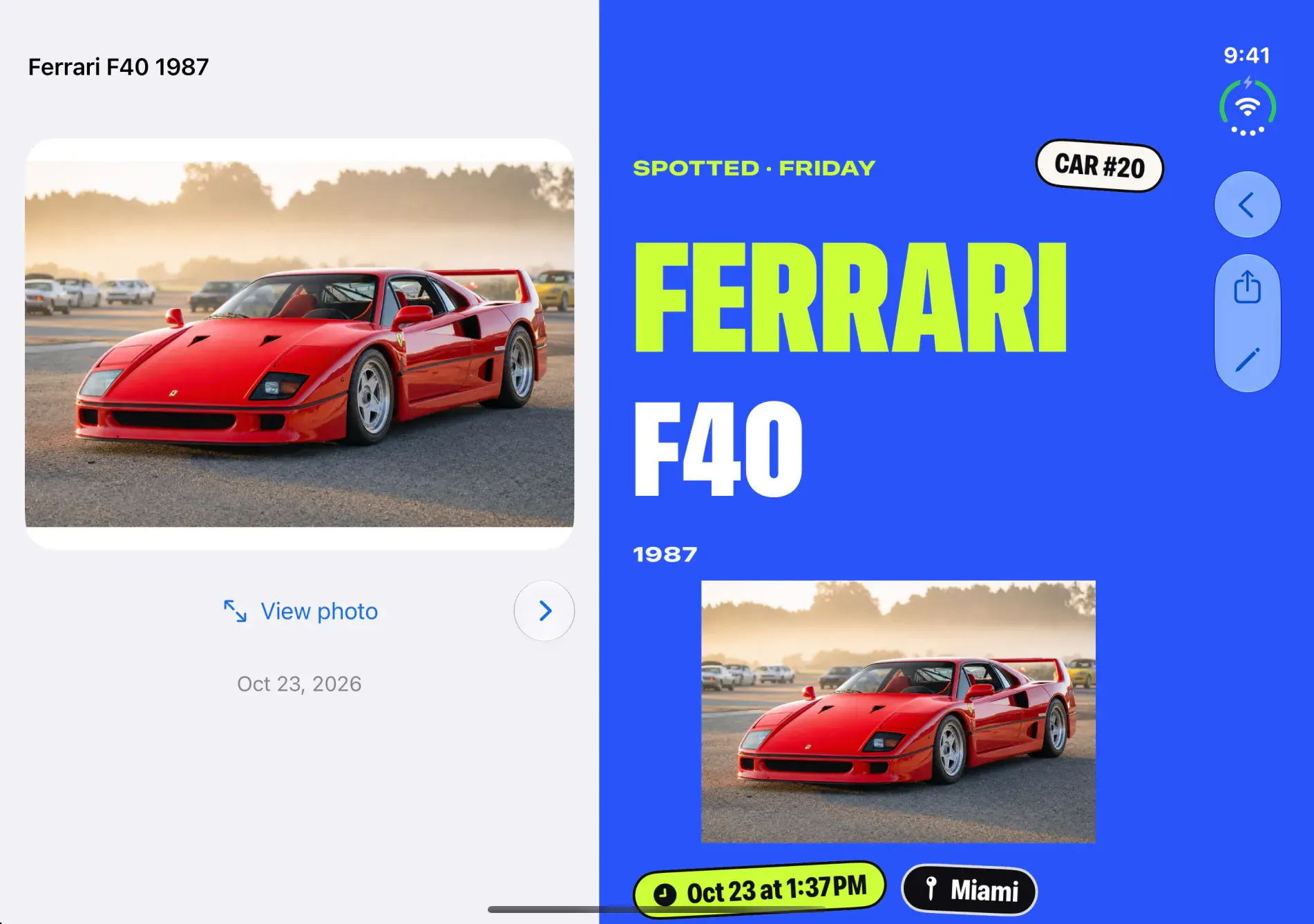
Closed, it is the garage of cars you actually saw. Open your Duo and the door rolls up on a poster of the car, in type big enough to read from across the room.
 Garage 01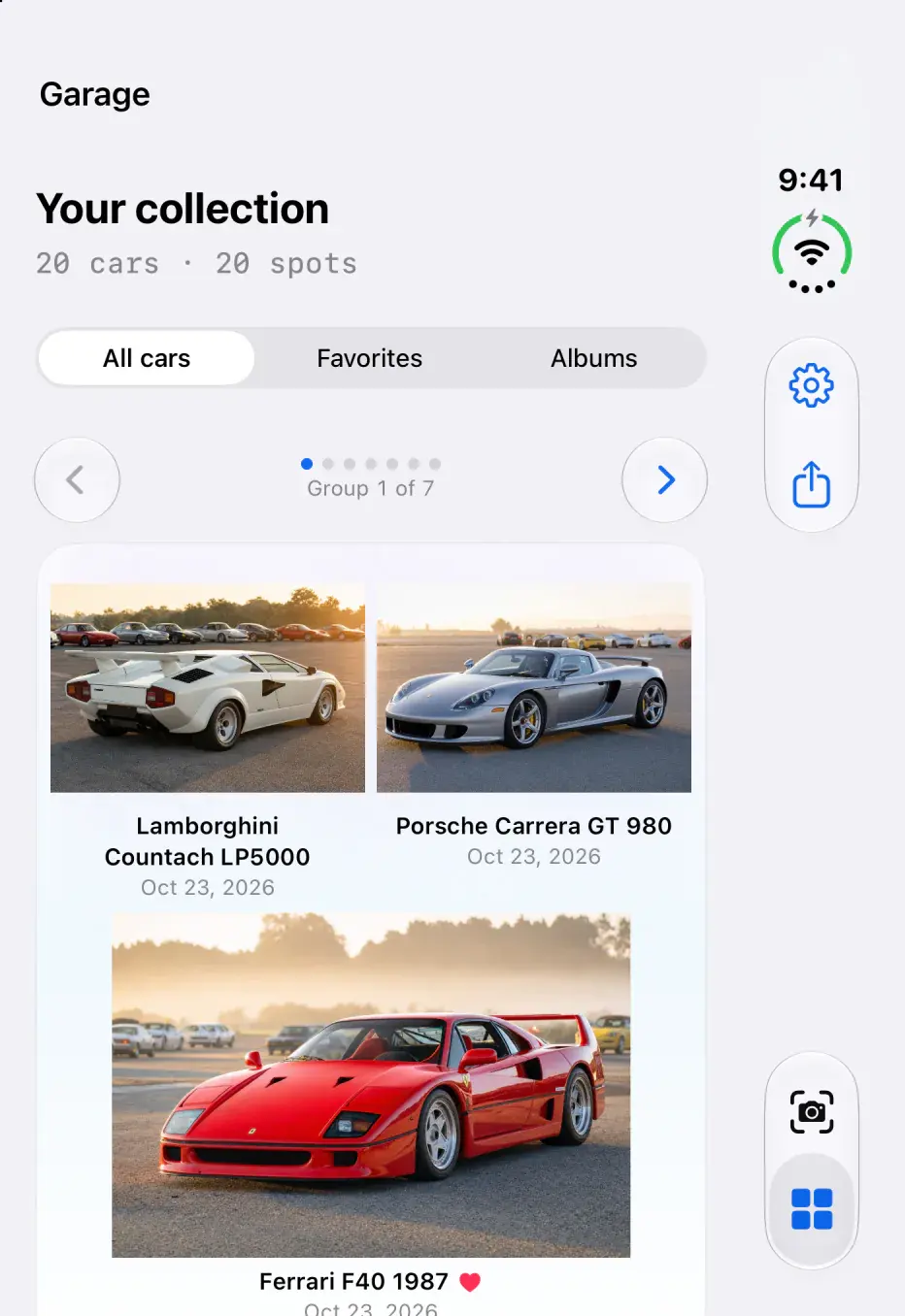
Works on every iPhone with iOS 18+. The posters need a wide screen, like the open inner display.
What you will notice
One side keeps your place. The other side shows off.
Your car, your list, your camera stay where they are. The second screen turns what you saw into something worth looking at.
01Open it
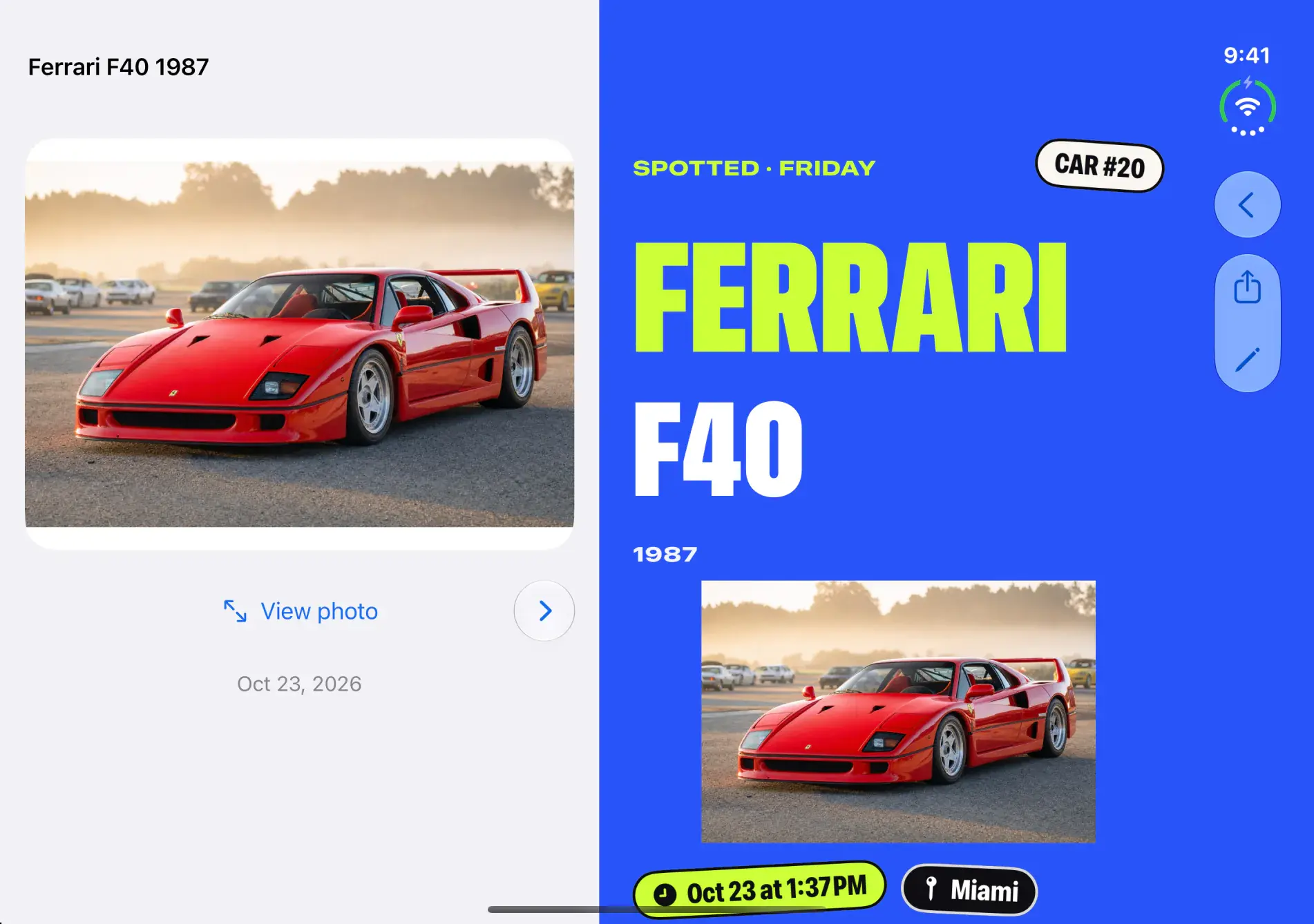
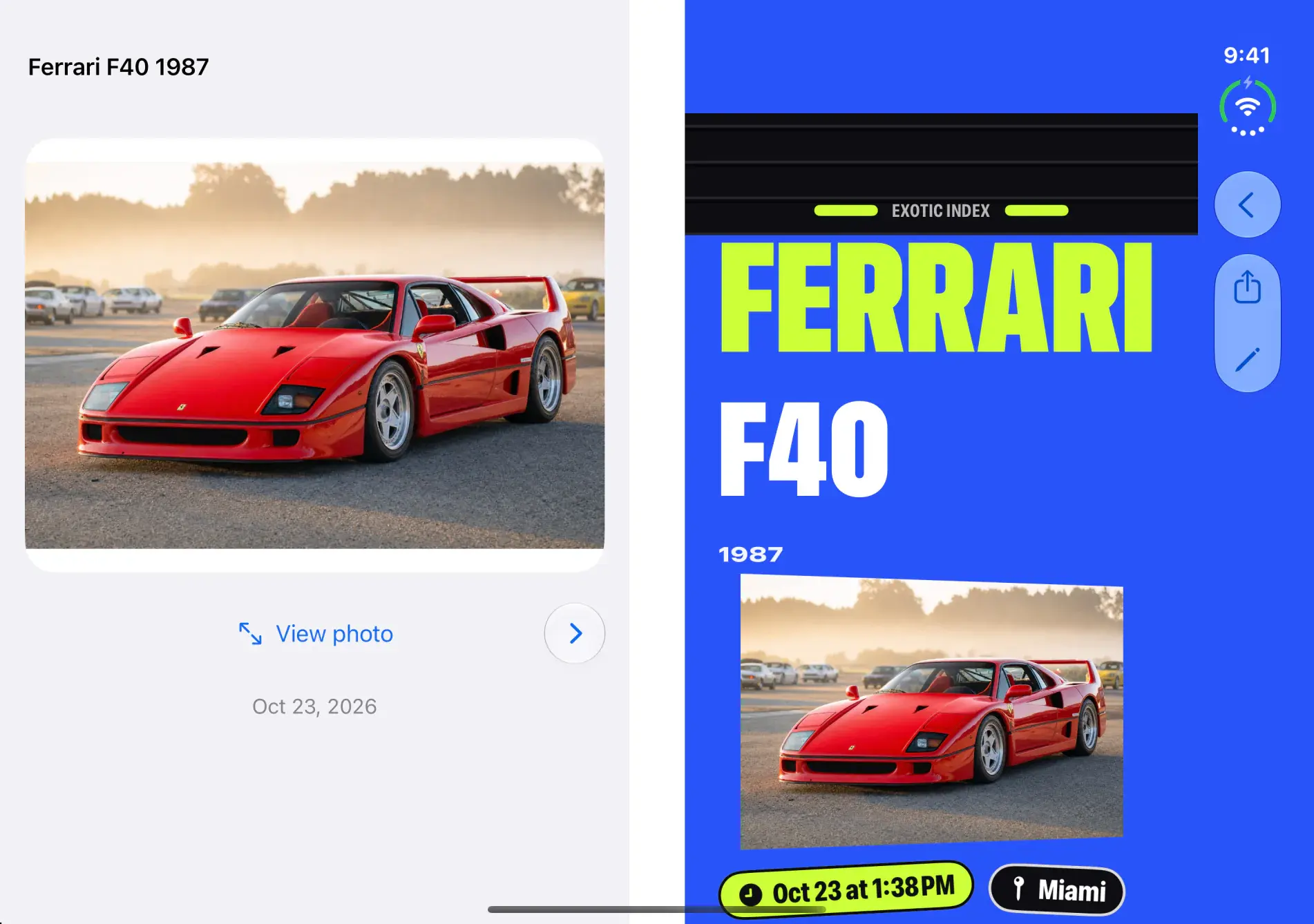
Your car on one side. Its poster on the other.
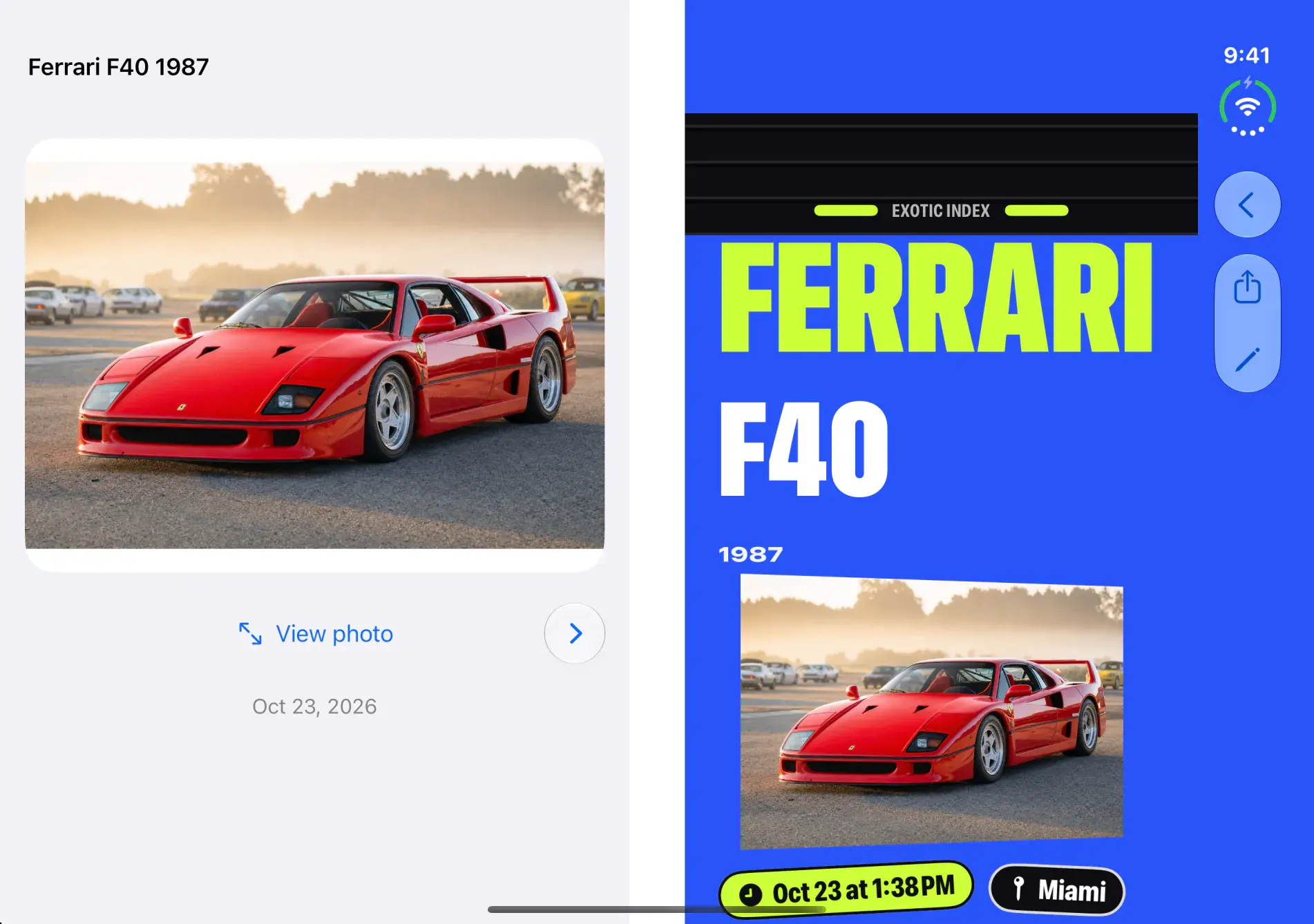
Open your Duo on a car. The car stays put on the left. On the right, its spotted card fills the screen: the make and model in giant type, the car number, and stickers for when and where you saw it.
02Whole garage
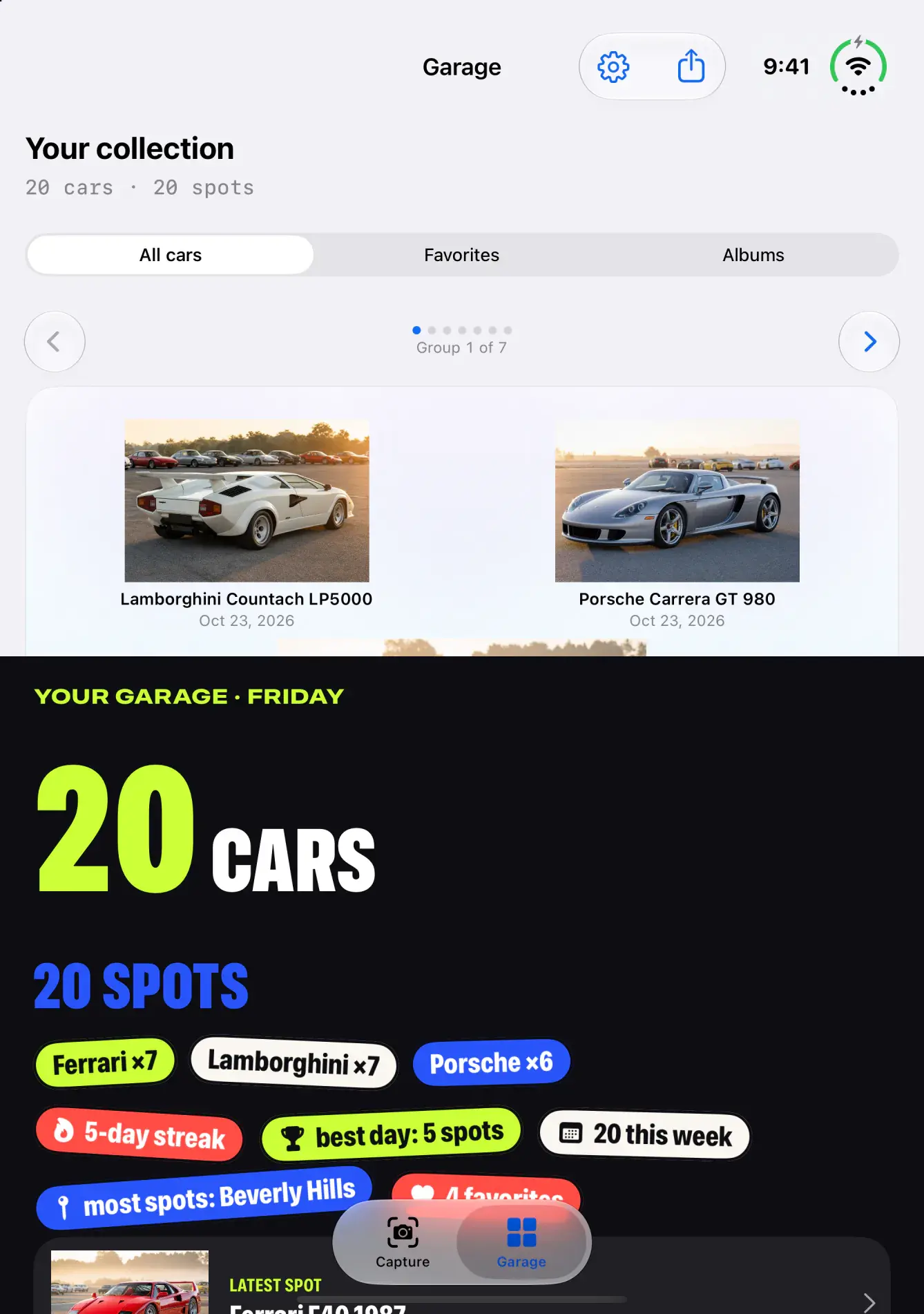
Your whole garage, counted up.
On the Garage screen, your cars stay on one half. The other half becomes your collector spread: how many cars and spots you have, a sticker for each make, your streak, your best day, and your latest spot.
03Fold it
Fold it a little. The door comes down.
Hold it like a book and a garage door follows the hinge. Close it partway and the door comes down over the poster while the car turns on its stand. Open it flat and the door rolls back up.
04At the show
Stand it up and shoot.
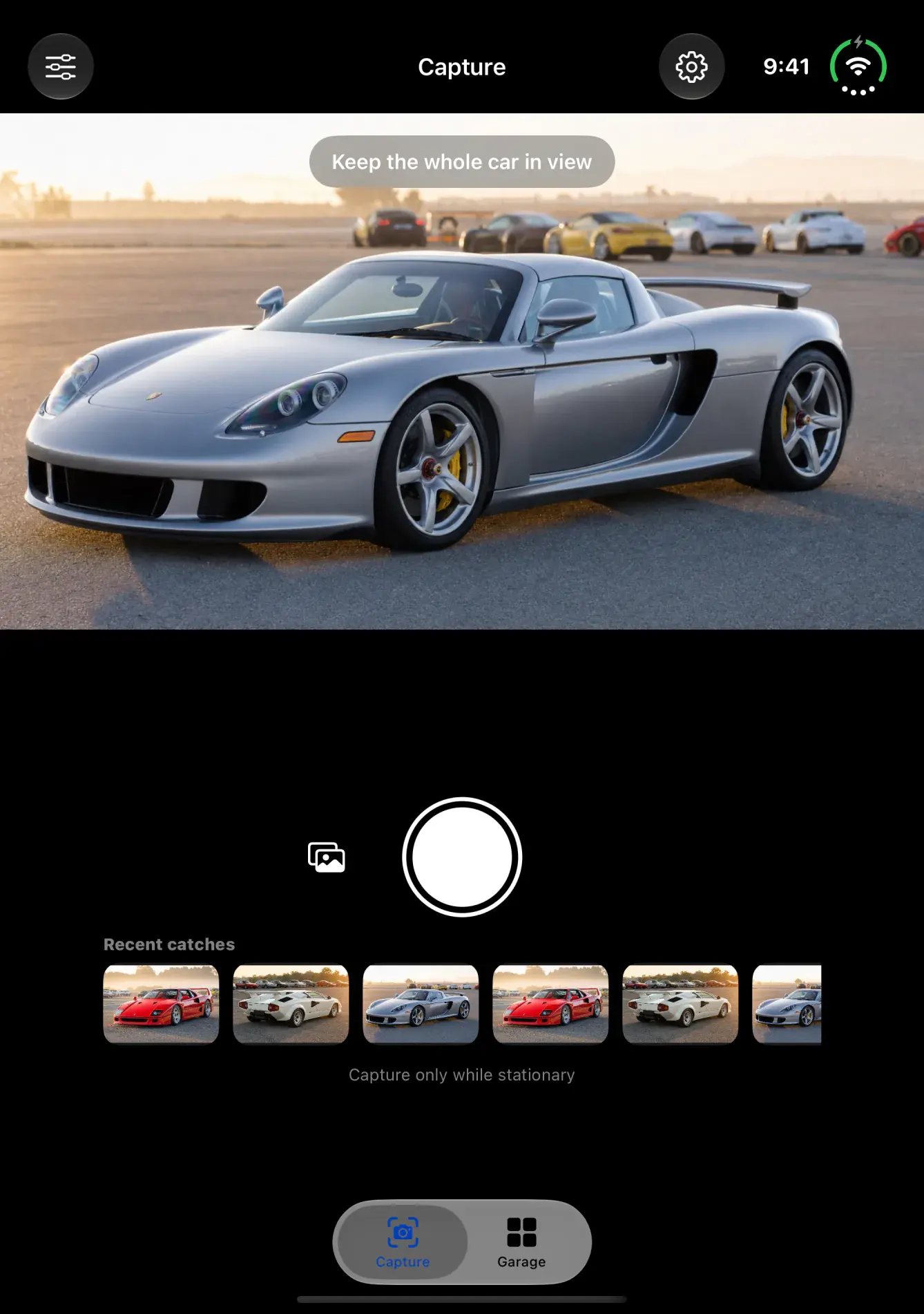
Fold it like a small laptop and set it down. The camera view sits on the top half. The shutter and your recent catches sit on the bottom half, where your thumb is.
Works in every pose
Fold it any way you like.
Your garage, your cars and the camera follow the phone, so they stay clear of the fold.
01Closed
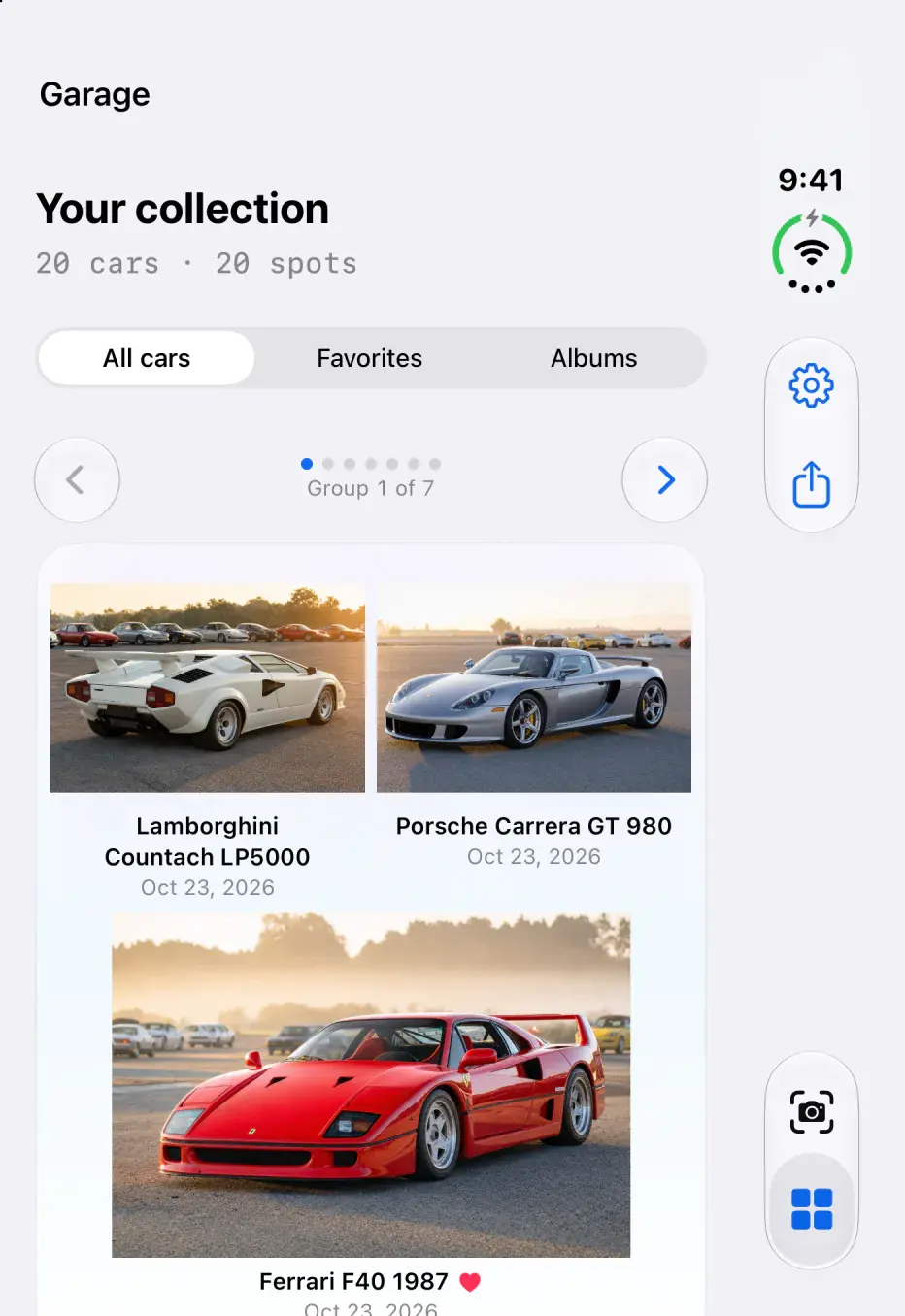
The outer display shows the garage you know, with the controls in a bar down the side.
02Book
Half open. The car on one side, its poster on the other, and the door follows the fold.
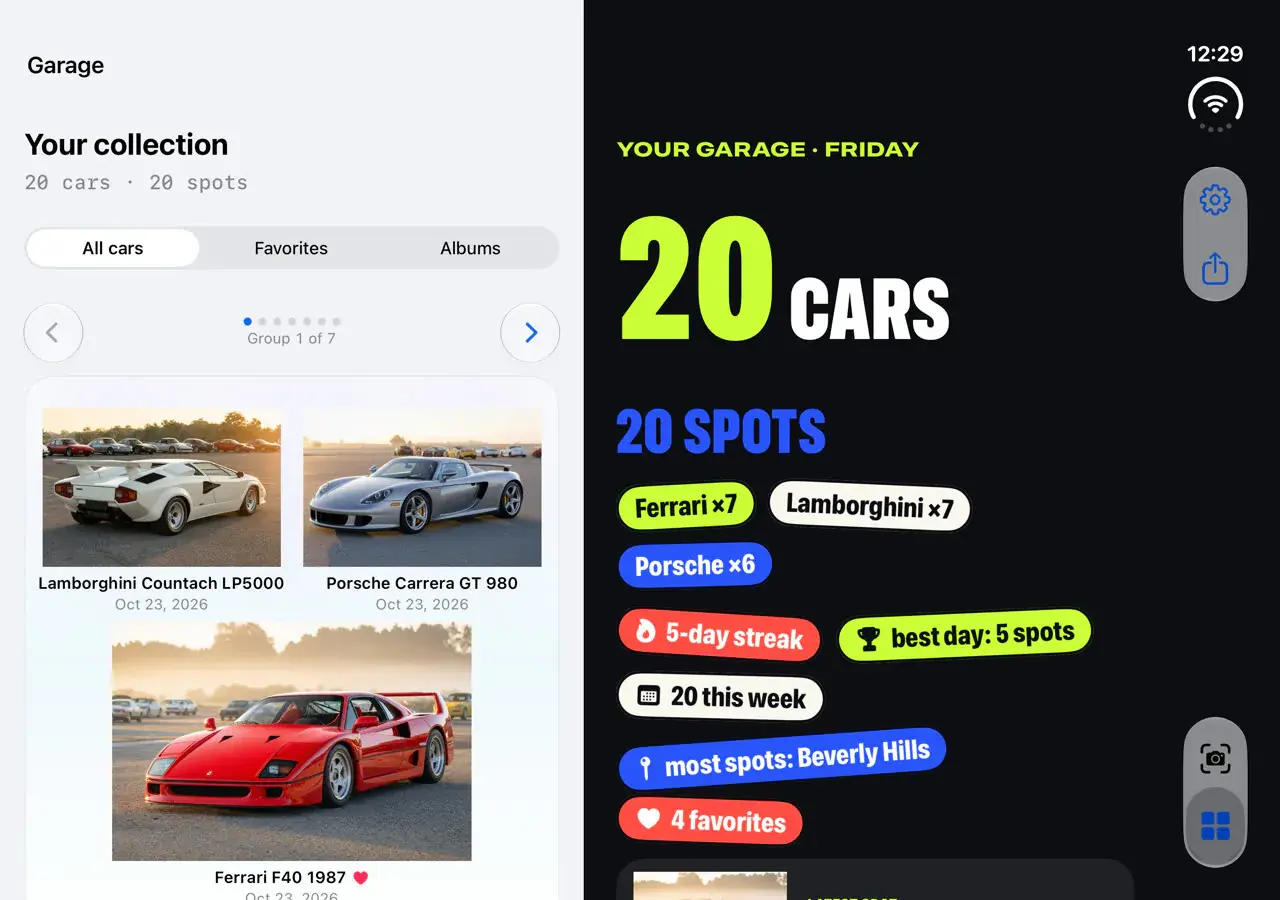
03Flat
All the way open. Your garage on one side, the collector spread on the other.
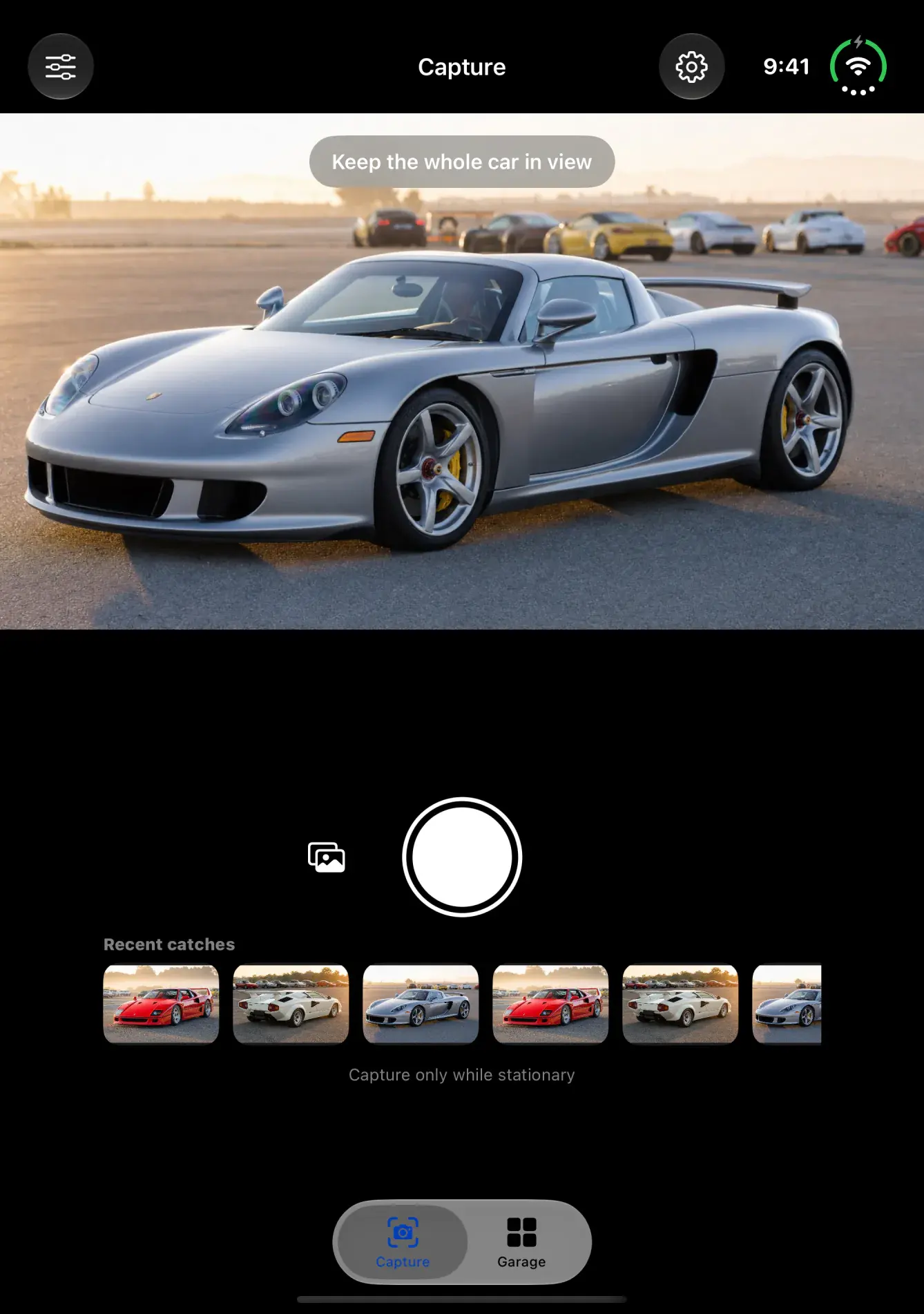
04Tabletop
Set it down half folded. The camera goes up top and the controls come down.
Questions
Good to know.
What changes on iPhone Duo?
Closed, you get the same garage you know on the outer display. Open it and the inner display adds a poster next to what you are looking at: a spotted card for one car, or a stats spread for your whole garage.
Do I need iPhone Duo to use Exotic Index?
No. The app runs on any iPhone with iOS 18 or later. The posters need a wide screen, like the open inner display of iPhone Duo. On a regular iPhone held upright, the app looks and works as it always has.
Does the garage door follow the hinge?
Yes, on iOS 27.1 and later. Fold the phone partway and the door comes partway down, covering about half the poster at most. Open it flat or close it and the door resets.
Can I turn the motion off?
Yes. With Reduce Motion on, the poster fades in with no rolling door, and nothing follows the hinge.
Where do the numbers on the posters come from?
Only from your own sightings. The posters count your cars, makes, streaks and spots. They never say a car is rare or what it is worth.
Available on the App Store
Your next car is out there.
Get the app, take it to the next show, and open the garage on the car you find.